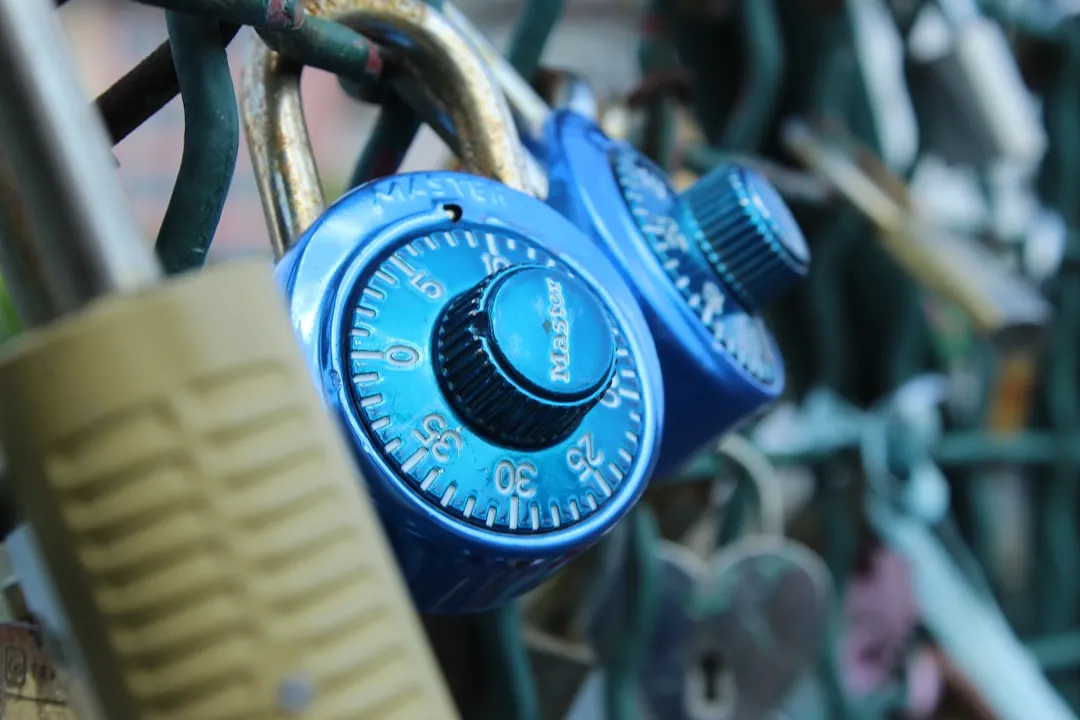
Let’s face it: in today’s digital world, how to protect your personal data from hackers is a crucial skill, not just something for tech geeks. We’re all vulnerable, from accidental clicks to sophisticated phishing scams. This guide will give you the tools to fight back and take control of your online security.
What is Protecting Your Personal Data?
Protecting your personal data means taking proactive steps to safeguard your sensitive information from unauthorized access, use, disclosure, disruption, modification, or destruction. This includes everything from your bank details and medical records to your social media accounts and online shopping history. Why is this important? Because a data breach can lead to identity theft, financial loss, reputational damage, and even emotional distress. It’s like having a highly valuable secret treasure – you need a good lock and a watchful eye!
Think of your personal data as a fortress. You wouldn’t leave your front door unlocked, right? Similarly, you need multiple layers of security to protect your digital assets. This involves understanding the risks, adopting good online habits, and utilizing available security tools. This guide will walk you through building that impenetrable digital fortress.
Common Problems and Causes of Data Breaches
Many issues contribute to data breaches. Some are due to individual vulnerabilities, while others result from larger systemic problems. Let’s look at the most common scenarios:
- Weak Passwords: Using simple, easily guessable passwords is an open invitation for hackers. Many people reuse passwords across multiple accounts, creating a domino effect if one account is compromised.
- Phishing Scams: These deceptive emails or messages trick you into revealing your login credentials or personal information. They often look convincingly legitimate.
- Malware Infections: Viruses, ransomware, and spyware can steal your data or even encrypt your files and hold them for ransom. A single click on a malicious link can have devastating consequences.
- Unsecured Wi-Fi Networks: Connecting to public Wi-Fi without using a VPN exposes your data to eavesdropping.
- Outdated Software: Failing to update your operating system and applications leaves you vulnerable to known security exploits. Hackers are constantly searching for vulnerabilities in older software versions.
- Social Engineering: This is a more subtle approach where hackers manipulate you into giving away information. They might impersonate someone you trust or create a sense of urgency to pressure you into making hasty decisions.
Step-by-Step Fixes and Solutions for Protecting Your Personal Data
Now that we’ve identified the common threats, let’s move to practical solutions:
- Create Strong, Unique Passwords: Use a password manager to generate complex, unique passwords for each of your online accounts. A password manager remembers them for you, so you don’t have to!
- Enable Two-Factor Authentication (2FA): This adds an extra layer of security by requiring a second verification method (like a code sent to your phone) in addition to your password.
- Be Wary of Phishing Attempts: Don’t click on suspicious links or open attachments from unknown senders. Verify the sender’s identity before responding to any email asking for personal information. Contact the supposed sender through a verified channel, like their official website.
- Install and Update Anti-Malware Software: Regularly update your antivirus and anti-malware software to protect against the latest threats. Consider using a reputable brand like McAfee (McAfee Activate) or Kaspersky (Kaspersky Contact Number).
- Use Secure Wi-Fi Networks: Avoid using public Wi-Fi for sensitive transactions. If you must use public Wi-Fi, use a VPN (PCE Help might offer information on VPNs) to encrypt your data.
- Keep Your Software Updated: Enable automatic updates for your operating system and applications to ensure you have the latest security patches.
- Be Mindful of Social Media: Limit the personal information you share online, and be cautious about accepting friend requests from strangers. Think twice before posting sensitive details like your address or birthday.
- Regularly Review Your Account Statements: Check your bank and credit card statements frequently for any unauthorized transactions. This can help catch identity theft early on.
When to Contact a Professional for Help Protecting Your Data
While you can implement many security measures yourself, sometimes you need expert assistance. If you suspect a data breach, you’ve fallen victim to a phishing scam, or you’re struggling to understand complex security settings, don’t hesitate to seek professional help. Our team at PCE Help is here to assist you. We can provide expert guidance and support to help you secure your personal data. For immediate assistance, feel free to call our Toll-Free Support Number: +44-800-066-8910.
We understand that navigating the world of cybersecurity can be daunting, and seeking help is a sign of proactive responsibility, not weakness. Don’t be afraid to ask for assistance. The cost of inaction could far outweigh the cost of getting professional help.
Helpful Tools and Security Software
Several excellent security tools can significantly enhance your protection. As mentioned before, McAfee (McAfee Activate) and Kaspersky (Kaspersky Contact Number) offer comprehensive antivirus and internet security solutions. These programs can detect and remove malware, protect against phishing attacks, and even manage your passwords.
Beyond antivirus software, consider using a VPN (Virtual Private Network) to encrypt your internet traffic, especially when using public Wi-Fi. A reputable VPN provider can mask your IP address and protect your data from prying eyes. Again, PCE Help may be a good resource to explore the best options for your needs.
Future Outlook and Tech Trends in Data Security
The landscape of cybersecurity is constantly evolving. Hackers are becoming increasingly sophisticated, employing new techniques to bypass security measures. We can expect to see more advanced AI-powered attacks in the future. The rise of IoT devices presents new challenges, as these devices often lack robust security features. This means ongoing vigilance and adaptation are key.
In response, we’ll likely see continued advancements in security technologies, including improved AI-based threat detection, more robust encryption methods, and blockchain-based security solutions. Staying informed about these trends will help you proactively adapt your security strategies. Following reputable tech news sources and cybersecurity blogs is a great way to stay ahead of the curve.
Final Thoughts on Protecting Your Personal Data
Protecting your personal data from hackers isn’t a one-time task; it’s an ongoing process. By implementing the strategies outlined in this guide and staying informed about emerging threats, you can significantly reduce your risk. Remember, a proactive approach is far more effective than reacting to a data breach.
If you have any questions or need further assistance, please don’t hesitate to reach out. You can call our Toll-Free Support Number: +44-800-066-8910, or explore our resources at PCE Help. Your online safety is our priority!
FAQs
How can I tell if I’ve been a victim of a phishing scam?
Be wary of unexpected emails requesting personal info. Check the sender’s email address and avoid clicking suspicious links. Contact the supposed sender through a verified channel, like their official website, to confirm if they genuinely sent the email.
What is the best antivirus software?
Many reputable options exist, including McAfee and Kaspersky. The best choice depends on your needs and budget. Consider reviewing independent security software reviews to make an informed decision.
How often should I change my passwords?
Aim for at least every three months for crucial accounts or use a password manager to generate and rotate complex passwords. The longer you use a password, the higher the risk of a breach.
What is two-factor authentication, and why is it important?
Two-factor authentication adds an extra security layer by requiring a second verification method (like a code sent to your phone) besides your password. It significantly reduces the risk of unauthorized access, even if your password is compromised.
How can I protect my data on public Wi-Fi?
Avoid accessing sensitive information on public Wi-Fi. If necessary, use a Virtual Private Network (VPN) to encrypt your data and protect it from eavesdropping.